Your LLM spend and limits, live in your menu bar.
Track today's API burn across OpenRouter, Anthropic, and OpenAI — and your Claude Pro/Max and ChatGPT session/weekly limits with reset countdowns. Live charts, credit balances, per-API-key breakdowns. Free, open source, no backend.

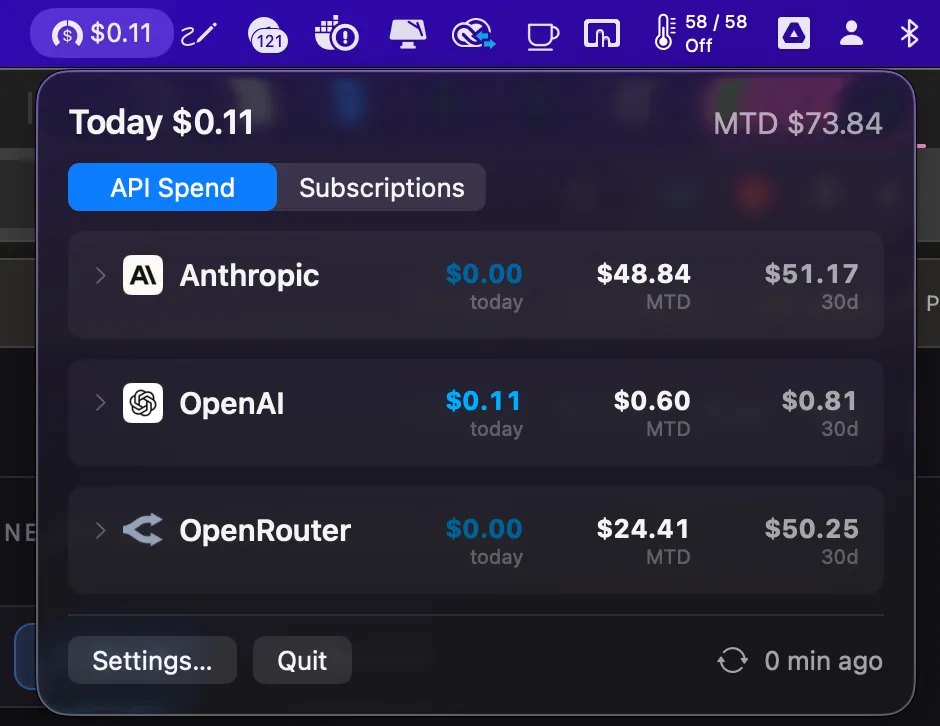
Two ways to pay. Same blind spot.
Pay per token?
API keys at three vendors, agents running overnight, a credit balance draining quietly. The dashboards are three logins away, and none shows today — when the invoice arrives, answering what burned the money is a spreadsheet job.
See API spend →Pay monthly?
On Claude Max or ChatGPT Plus, the question is worse: how much of my week is left? Right now that's answerable only by typing /usage into a terminal.
A menu bar number, never more than a few minutes stale — plus a dropdown that answers "which vendor, which key, which day" and "how close am I to the cap, and when does it reset" in two clicks.

Everything between "am I burning money?" and the answer.
A background daemon does the collecting; the menu bar shows the result. Nothing else to run, nothing to host.
Today, live
Not yesterday's report. A background daemon polls vendor APIs on your schedule, showing today's spend as it happens. For vendors with lagging activity feeds, a live delta keeps the number current.
Every vendor, one panel
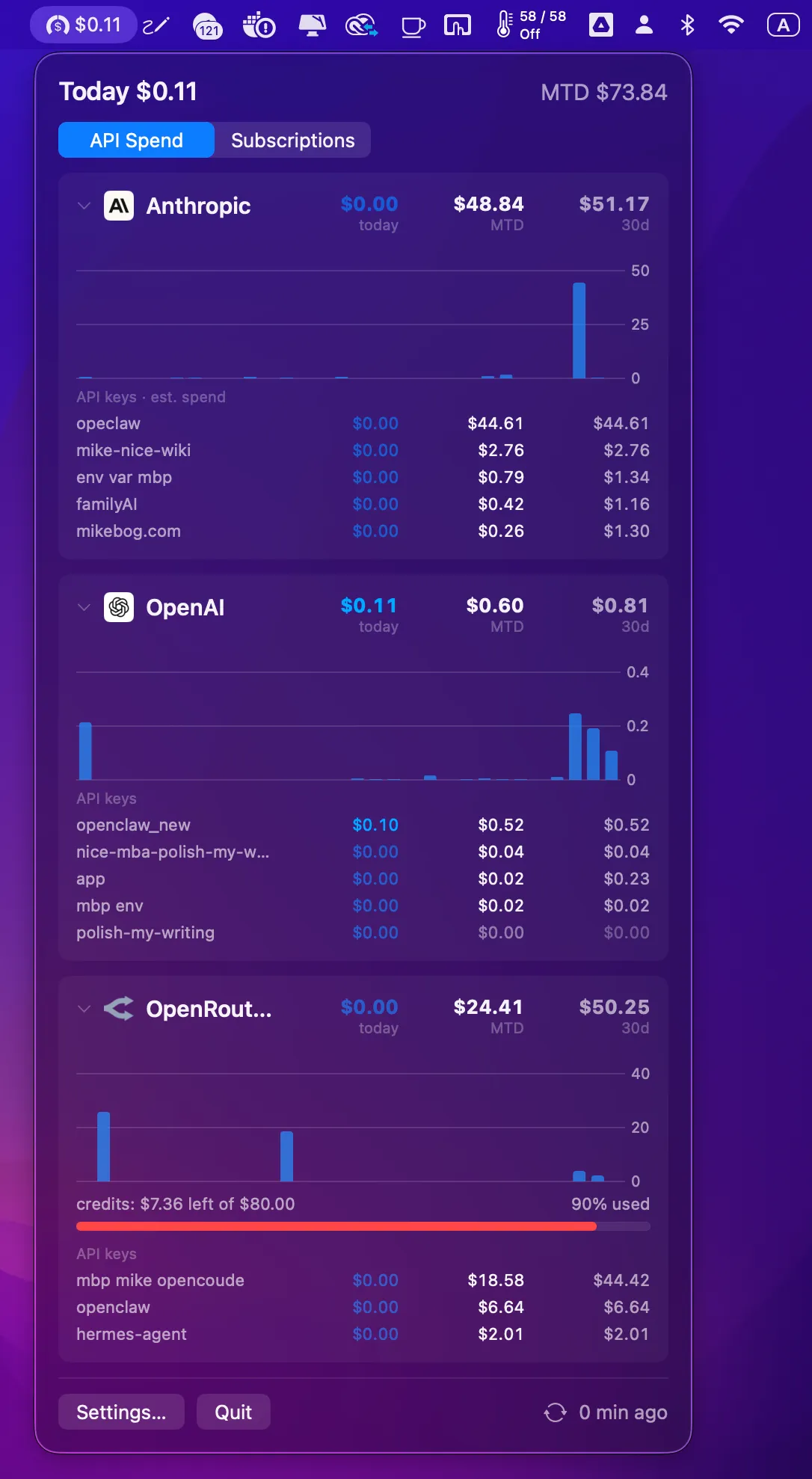
One panel holds OpenRouter, Anthropic, and OpenAI cards, each with month-to-date, credits progress, and a 30-day bar chart. Hover any bar for that day's exact spend.
Which key is burning?
Per-key spend for every vendor: real dollars from OpenRouter and OpenAI, token-weighted estimates for Anthropic. Every key row shows three columns — today, month-to-date, trailing 30 days — aligned under the vendor's own totals.
Subscription limits, not just dollars
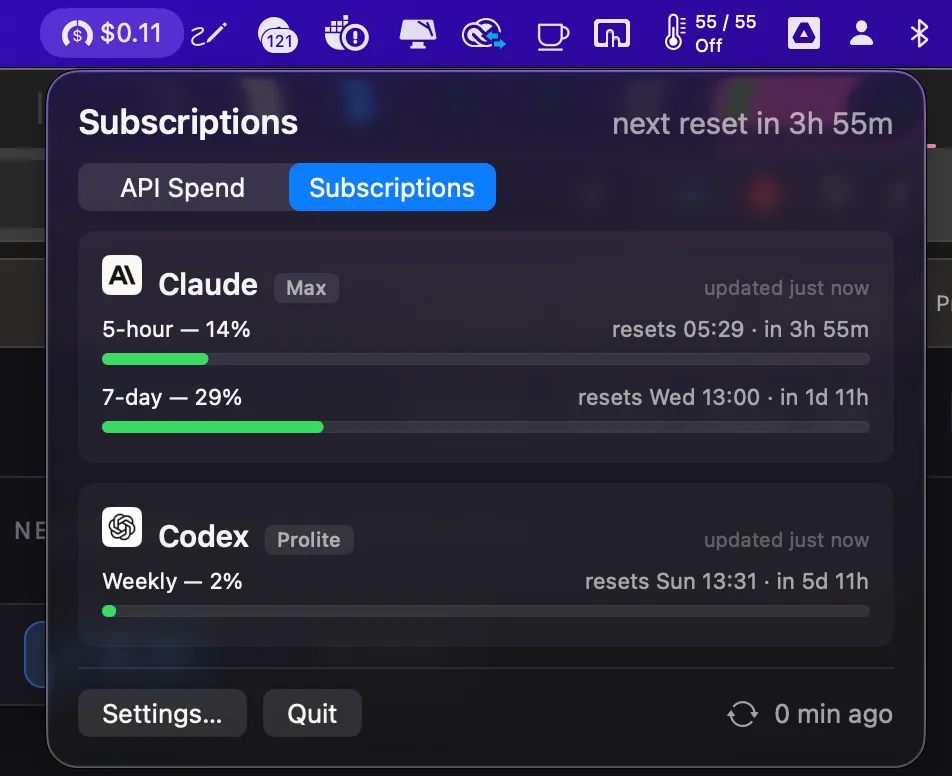
On Claude Max or ChatGPT Plus? A second tab shows every rolling limit window — Claude's 5-hour session and weekly caps (per-model too), Codex's weekly window — as color-coded bars with exact reset times.
Zero-setup detection
No keys to paste. If Claude Code or Codex CLI is signed in on your Mac, the app finds it and reuses that sign-in read-only — one "Always Allow" Keychain click for Claude, nothing for Codex. It never refreshes or touches the CLI's tokens.
Know before you hit the wall
A macOS notification fires when any window crosses your threshold (default 80%, configurable), re-arming after each reset. A 7-day burn-rate sparkline shows whether the week's budget will last until Friday.
Private by design
No backend. No telemetry. No account. Keys stay in the macOS Keychain; data flows directly from vendor APIs to a local SQLite file. The repo is open — inspect it.
Survives everything
A launchd-supervised daemon keeps collecting through app crashes, restarts, and sleep. Every sync attempt appears in Diagnostics, so nothing fails silently.
Set up in a minute
Paste one management/admin key per vendor — live-tested before saving, with a pointed error when a vendor hands you the wrong kind. Subscriptions need no setup at all: they're auto-detected.
Which vendor, which key, which day — two clicks.
Expand any vendor card and the whole story is right there — no dashboard login, no CSV export.
30-day chart per vendor. Hover any bar for that day's exact spend — "Jul 12 · $3.41".
Color-coded credits bar. "$7.36 left of $80.00 · 90% used" — you see it drain before it's gone.
Per-key spend, three columns. Today, month-to-date, trailing 30 days for every key — your overnight agent, your IDE, your side project — so the culprit is named.
How close am I to the cap — and when does it reset?
On Claude Max or ChatGPT Plus, spend isn't the question — the window is. The second tab shows every rolling limit as a color-coded bar with its exact reset time.
Every window, one glance. Claude's 5-hour session and 7-day caps (per-model too), Codex's weekly window — "61% — resets Thu 09:00 · in 2d 3h".
Zero-setup detection. If Claude Code or Codex CLI is signed in on this Mac, limits appear automatically — the sign-in is reused read-only, never modified or refreshed.
Know before you hit the wall. A notification fires at your threshold (default 80%), re-arming after each reset — and a 7-day sparkline shows whether the budget lasts until Friday.
Your billing data never leaves your Mac.
There's no server because there doesn't need to be one. Your Mac calls the vendor APIs with your keys and keeps the results locally. That's the whole architecture.
No middle-man server. No telemetry. No account. Subscription limits reuse your CLI sign-ins read-only — nothing is modified, nothing sent anywhere new. See PRIVACY.md in the repo.
Keys stay in the Keychain
API keys are stored only in the macOS Keychain — never in config files, never uploaded anywhere.
Data lives in local SQLite
Spend history is a SQLite file on your disk. Query it yourself, back it up, or delete it — it's yours.
Open source, MIT
Don't take the privacy story on faith — the entire codebase is on GitHub. Read exactly what it does.
One key per vendor — or no keys at all.
Download the .dmg, drag to Applications, open.
Tracking API spend? Paste one read-billing key per vendor. Setup links to the exact page where each key lives and live-tests it before saving — with a pointed error if a vendor hands you the wrong kind.
On subscriptions? Do nothing — if Claude Code or Codex CLI is signed in on this Mac, your limits are auto-detected.
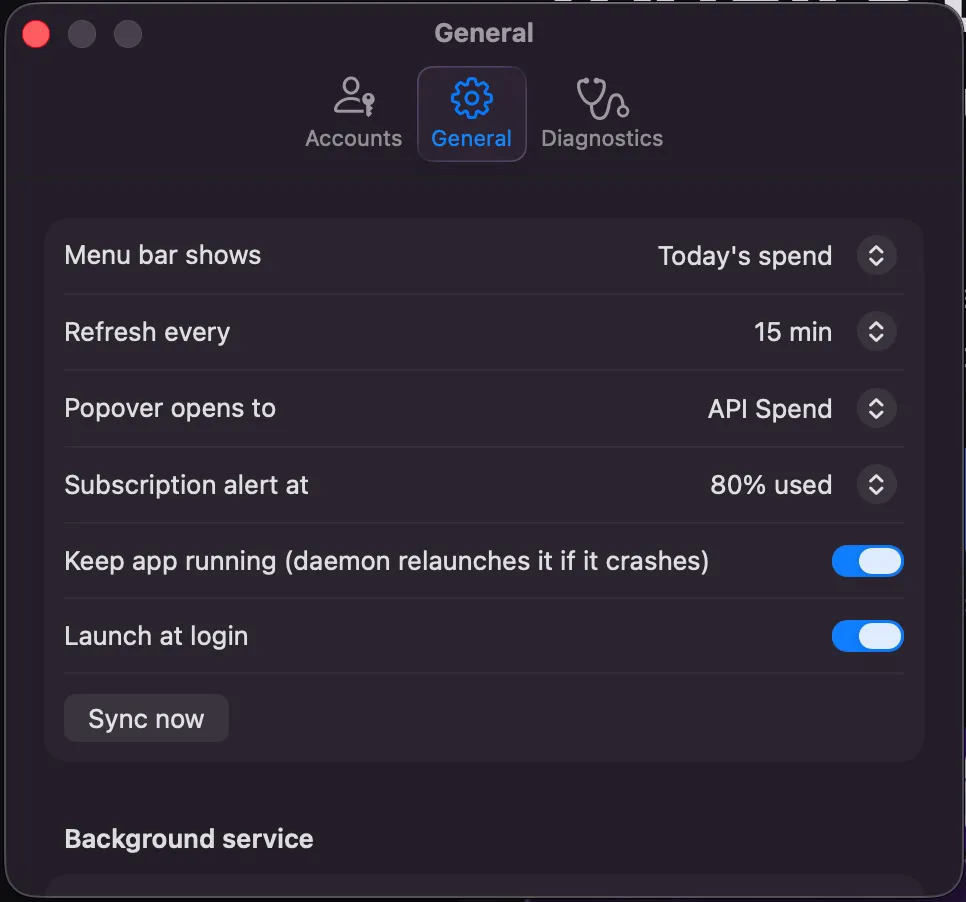
Make it yours in Settings: what the menu bar shows, refresh cadence, which tab the popover opens to, the subscription alert threshold, launch at login.
Good questions.
Know what today cost before the invoice does.
One .dmg. One key per vendor for API spend — no keys at all for subscription limits. Today's burn and this week's window, a glance away — forever, for free.
Download for macOS